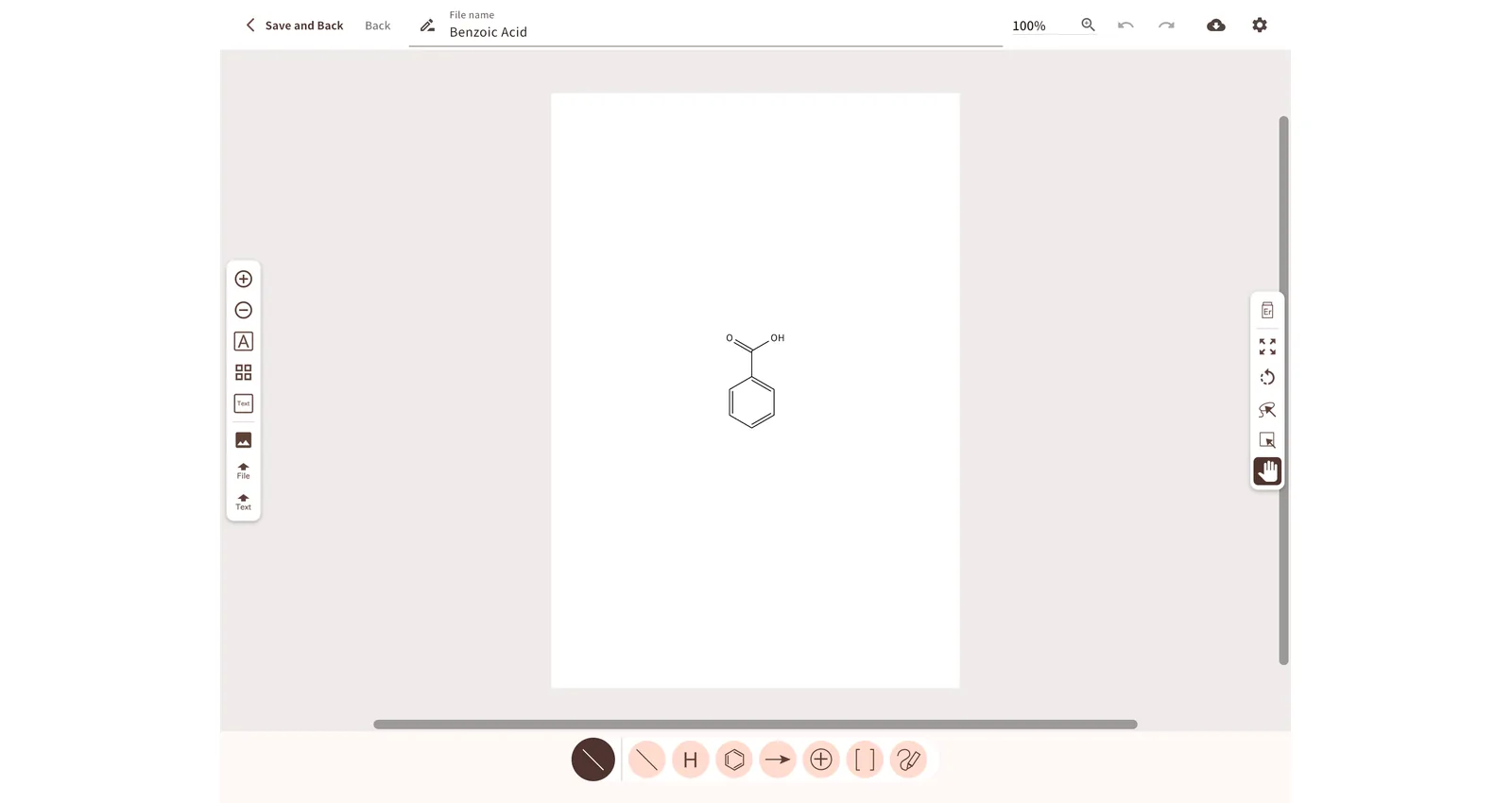
In the lab, on the train, at home: pick up the same structure, anywhere. A cloud-based chemical structure editor.
Predict IR and NMR spectra the moment you draw, and switch to major journal drawing styles with one click.
If all you need is to draw a structure, the editor you already know may be enough. ChemGraphic 2 changes what happens after you draw, and where you can draw.
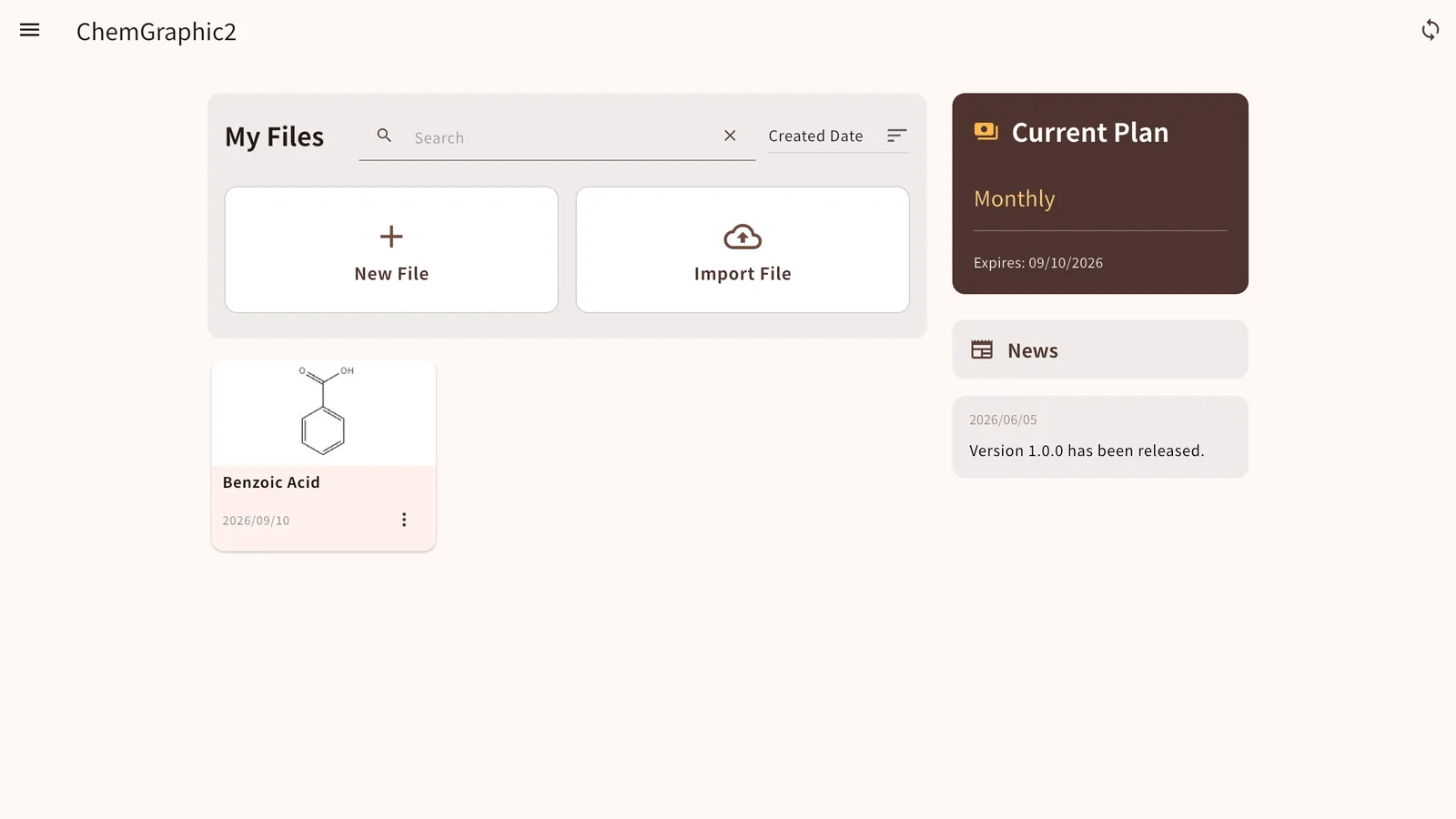
The cloud is the default save location. Draw a scheme on the lab's Windows PC, check it on your iPhone on the way home, and finish it on your Mac. No file transfers, no format conversion.
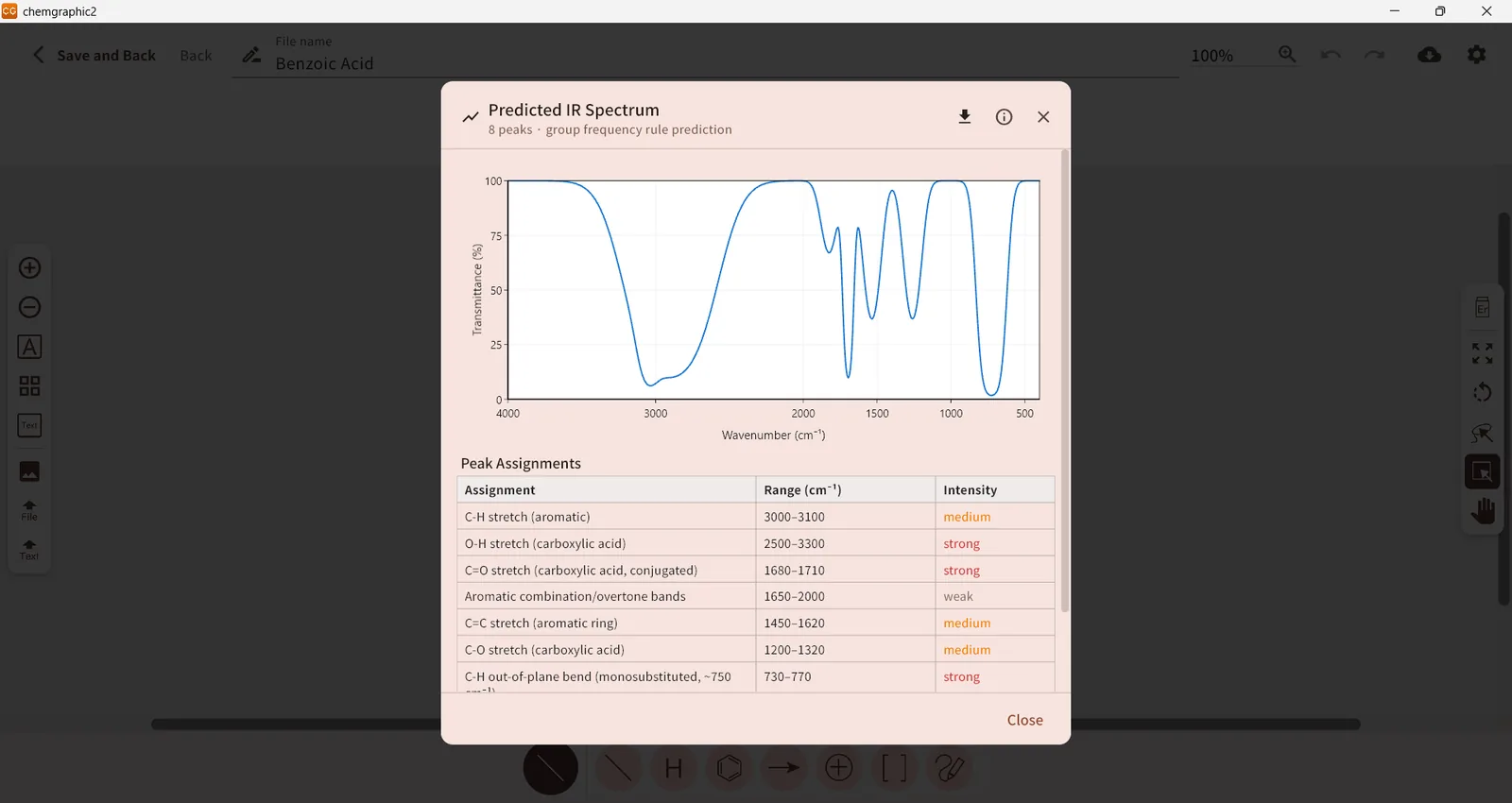
More about cloud sync →Tap any atom of a molecule, then tap "Analyze" to get predicted IR, ¹H-NMR and ¹³C-NMR spectra with a peak assignment table. Estimate before synthesis and check measured results without redrawing the structure in another tool.
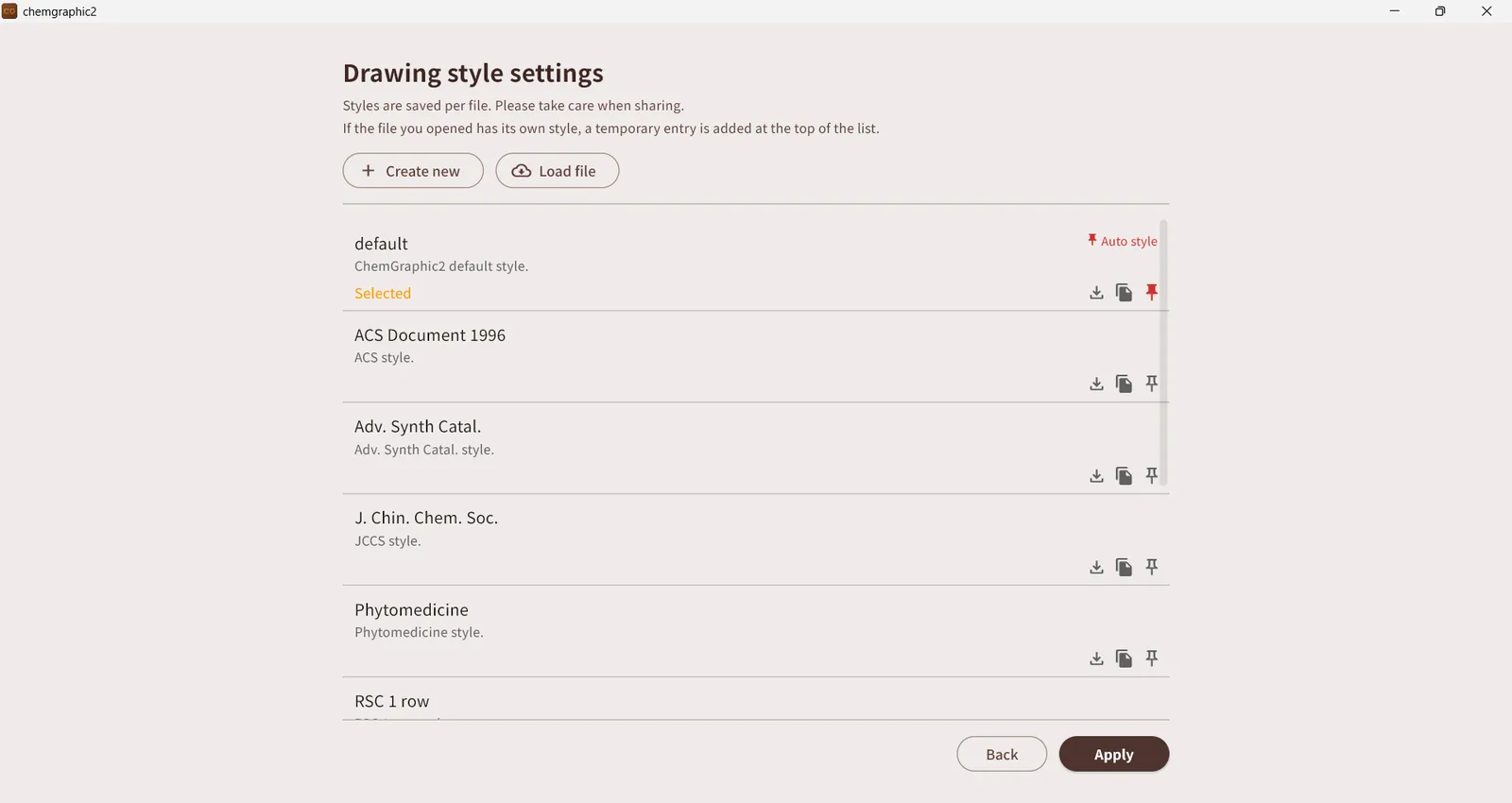
More about spectrum prediction →Styles for ACS, RSC and other major journals ship as presets. When your target journal changes, switch the style and the bond length, line width and fonts follow.
More about drawing styles →| Item | ChemGraphic 2 | Typical desktop editors | ChemGraphic (Mac / iOS, previous version) |
|---|---|---|---|
| Platforms | Windows / Mac / iPad / iPhone / AndroidOne subscription, all devices | Mostly Windows / MacInstalled and licensed per device | Separate Mac and iOS appsSeparate subscriptions |
| Where files are saved | Cloud (automatic)Sign in and the same file list appears on every device | LocalSharing means manually uploading to cloud storage | Local |
| Sync between devices | Real timeSaves on other devices are picked up automatically | — | — |
| Spectrum prediction | IR / ¹H-NMR / ¹³C-NMRWith peak assignments, molecular formula and weight | Often requires a separate tool or a higher edition | — |
| Journal drawing styles | ACS, RSC and more includedThe style is stored with each file | Depends on the product | — |
| Interoperability | Read/write MOL and SDF, read SMILES and InChIAlso reads legacy ChemGraphic files (.cgs / .cgt) | MOL / SDF etc. | Read/write MOL and SDF |
| Image export | PNG (transparent / white) and JPEGPaste straight into slides | Depends on the product | PNG etc. |
| Price | Monthly or yearly subscription, priced per region by each storee.g. US$6.99 / month or US$75.99 / year in the United States. One subscription for all devices · first month free | Depends on the product (one-time, annual, etc.) | Monthly subscription, priced per region by each storeSubscribed separately for the Mac and iOS apps · first week free |
* The "Typical desktop editors" column describes general tendencies, not any specific product. Please check each vendor's documentation for details.
ChemGraphic 2 stores your files in the cloud, not on the device. Sign in on any device and the same "My Files" list opens; anything saved on another device shows up in real time. No emailing files to yourself, no USB sticks.
* Sync works between devices signed in with the same account. Different accounts (e.g. a shared lab account and your personal account) do not sync with each other.
* Sign in with Apple is not available on Windows or Android. If you use devices with different operating systems, such as a Windows PC and an iPhone, we recommend signing in with a Google account or an email address.
With the selection tool, tap any atom of a molecule and press "Analyze". Along with the molecular formula and weight, you get predicted infrared (IR) and nuclear magnetic resonance (¹H-NMR and ¹³C-NMR) spectra. Each peak is listed with its assignment, so you can estimate the spectrum of a target compound before synthesis, or check whether a measured spectrum matches expectations, without leaving the editor. No expensive add-on license, separate tool or quantum-chemistry setup is needed; prediction runs directly on the structure you drew.
* Predictions are estimates based on empirical rules and calculations. They do not replace measured spectra.
Drawing styles for major journals, including ACS (American Chemical Society) and RSC (Royal Society of Chemistry), ship as presets. When your target journal changes, switch the style and the bond length, line width, fonts and other conventions follow. The style is stored with each file, so you can keep one for papers and another for slides.
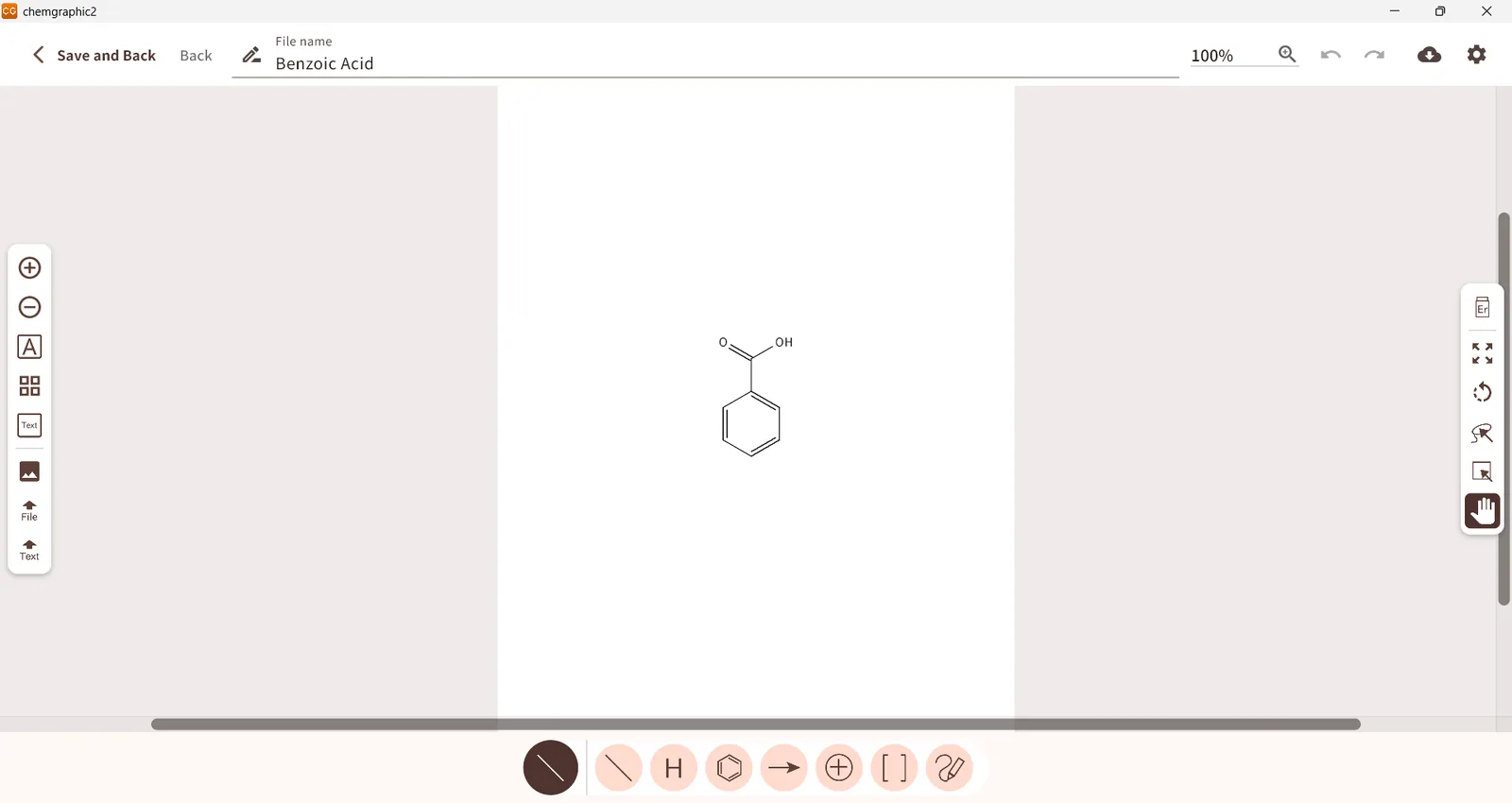
The same layout and tools on PC, tablet and phone.
Priced so that students and individual researchers can keep using it. Both plans include a free first month with every feature unlocked. Prices are set per country by each store, so please check the store listing for the price in your region.
Local price / monthe.g. US$6.99 in the United States
For when you only need it for a while. Cancel any time.
Local price / yeare.g. US$75.99 in the United States
For continuous use from joining a lab through graduation.
Billed through the Microsoft Store, App Store or Google Play in your local currency; the exact price is shown on each store page. Cancel any time from the account settings of the store you subscribed through.
Rolling out on each store in fall 2026. Once available, the cards below will link to the store pages.
Windows 10 / 11
Coming sooniPhone / iPad / Mac (Apple silicon)
Coming soonAndroid phones and tablets
Coming soonThe biggest difference is the cloud. Files are stored in the cloud, so you can continue editing the same file from Windows, Mac, iPad, iPhone or Android. On top of that we added features that were hard to offer in a standalone drawing app: spectrum prediction (IR / ¹H-NMR / ¹³C-NMR) and built-in journal drawing styles.
Yes. ChemGraphic 2 reads and writes MOL (V2000 / V3000) and SDF files, and can import structures from SMILES and InChI strings. Note that MOL / SDF only describe atoms and bonds, so arrows, images, brackets and other non-structure objects are not included when converting.
Files saved by the previous ChemGraphic (Mac / iOS) in .cgs / .cgt format can also be opened, but compatibility is not complete. Those files contain settings specific to Mac / iOS (especially for text formatting), and tools such as arrows work differently in ChemGraphic 2. After opening a legacy file, adjust any text or arrows that look different from the original.
Yes. You can switch to the styles of major journals such as ACS (American Chemical Society) and RSC (Royal Society of Chemistry) with one click. PNG export with a transparent background lets you paste structures cleanly into presentation and word-processing software.
Everything syncs between devices signed in with the same account. If the lab PC uses a different account from your personal one, the two accounts will not sync with each other.
If you use a lab account on the shared PC and your personal account on your own devices, we recommend downloading files from the shared PC in the ChemGraphic 2 format (.cg2d) and opening them with "Import File" on the top screen of your personal account. A .cg2d file keeps arrows, images and the drawing style intact, so there is no need to switch accounts.
Note that sign in with Apple is not available on Windows or Android. If you use devices with different operating systems, such as a Windows PC and an iPhone, we recommend signing in with a Google account or an email address.
It analyzes the molecule drawn on the canvas and outputs estimated infrared (IR) and nuclear magnetic resonance (¹H-NMR, ¹³C-NMR) spectra for that compound. For IR you can choose between an instant prediction based on group frequency rules and an xtb quantum-chemical calculation (with solvent selection; usage is limited). NMR uses additive chemical-shift rules. All results are estimates and do not replace measured spectra.
Yes. Whichever plan you choose, every feature is free for the first month. You can cancel from the account settings of the store you subscribed through.
On Apple silicon Macs, install it from the App Store as an iPad app. If you use an Intel Mac, please continue to use the previous ChemGraphic for Mac.
Yes. The remaining subscription period of the previous version can be transferred with a migration key. Issue the key from the Help menu of the previous app, then enter it on the "Create account" screen that appears the first time you sign in to ChemGraphic 2. The key can only be entered when the account is created; it cannot be applied later. See the how-to page for details.
Please report bugs here too. For feature requests, please use the survey linked in the News section of the app's top screen.
Please review the ChemGraphic 2 Terms of Use and Privacy Policy before use.
Apple, the Apple logo, iPad, iPhone, Mac and macOS are trademarks of Apple Inc., registered in the U.S. and other countries.
App Store is a service mark of Apple Inc., registered in the U.S. and other countries.
Google, the Google logo, Android, Google Play and the Google Play logo are trademarks or registered trademarks of Google LLC.
Microsoft, Windows and Microsoft Store are trademarks or registered trademarks of Microsoft Corporation in the United States and/or other countries.